
 For security purposes, Booking.com has created a “Guest Communication Allow List” for all vendors or systems which communicates with your guests. You are required to complete this setup step to be able to communicate with guests.
 1. Log into your Booking.com Extranet with the Admin log-in (only admins have access to this setting)
2. Click Property and then click Messaging preferences 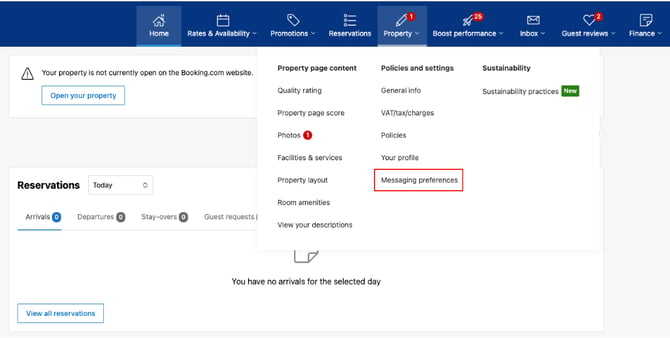
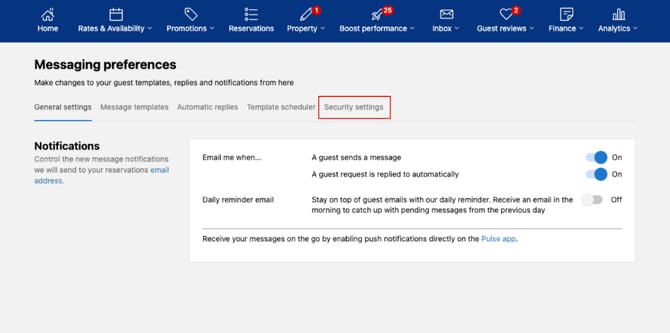
3. Click on Security Setting.
4. Click Add Email Address
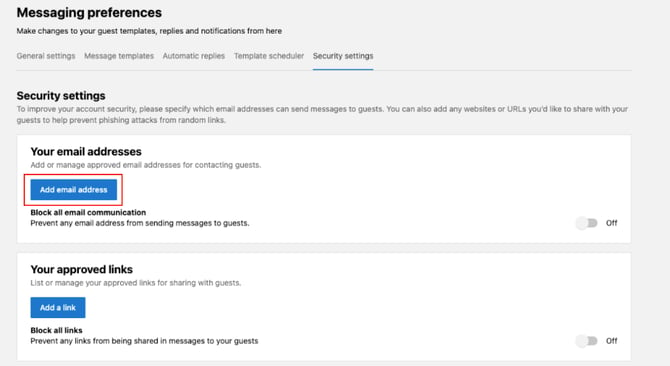
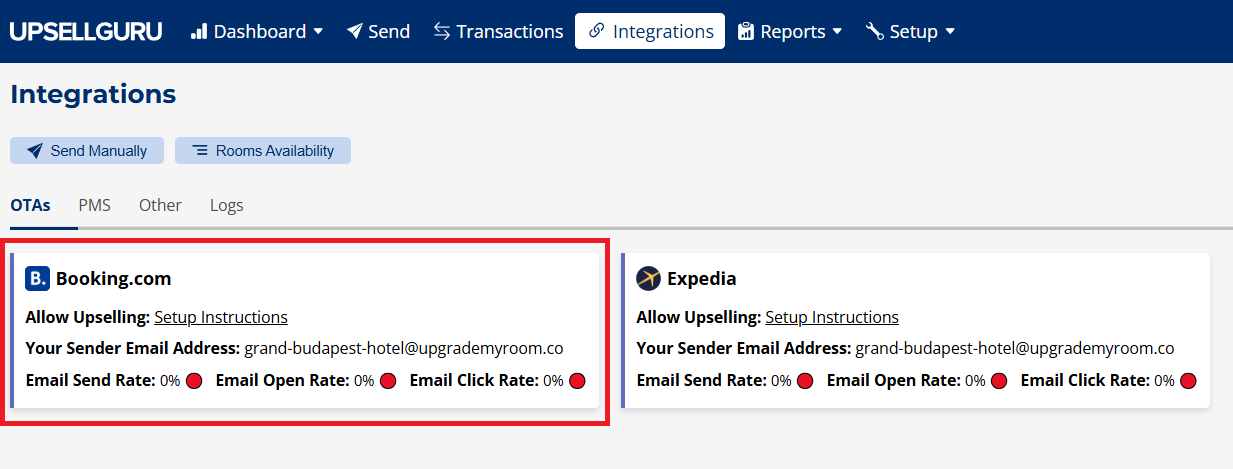
5. Type in the email address that you find in your UpsellGuru Platform and save.
You will find your UpsellGuru email sender in the Platform under Integrations ("Your Sender Email Address")
6. Under Your approved links you will need to add the following link: