
Setup > Room Types > Upgrade Prices > Additional Setting 

Click on the upgrade options you want to edit. For example STD > SUP. The displayed price ( 1 - Price) is the default price.
Below the options you have to set offsets:
- Price by Period (2): Choose a period in which the default prices are available. By default it's set to "always". The other offsets on this page will only apply to the dates selected here.
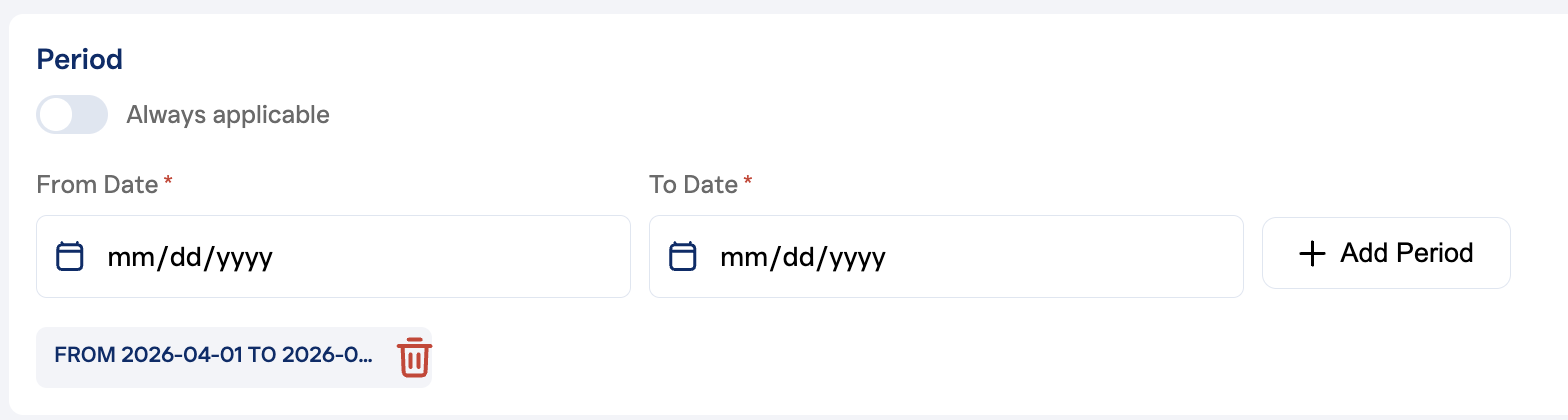

You can create different upgrade prices for a low season and high season.
- Targeting (3): The default prices applies only to specific Rate Plans, Market Segments, Reservation Sources, or ChanMembership Levels. The Point of Sale can also be specified if needed.

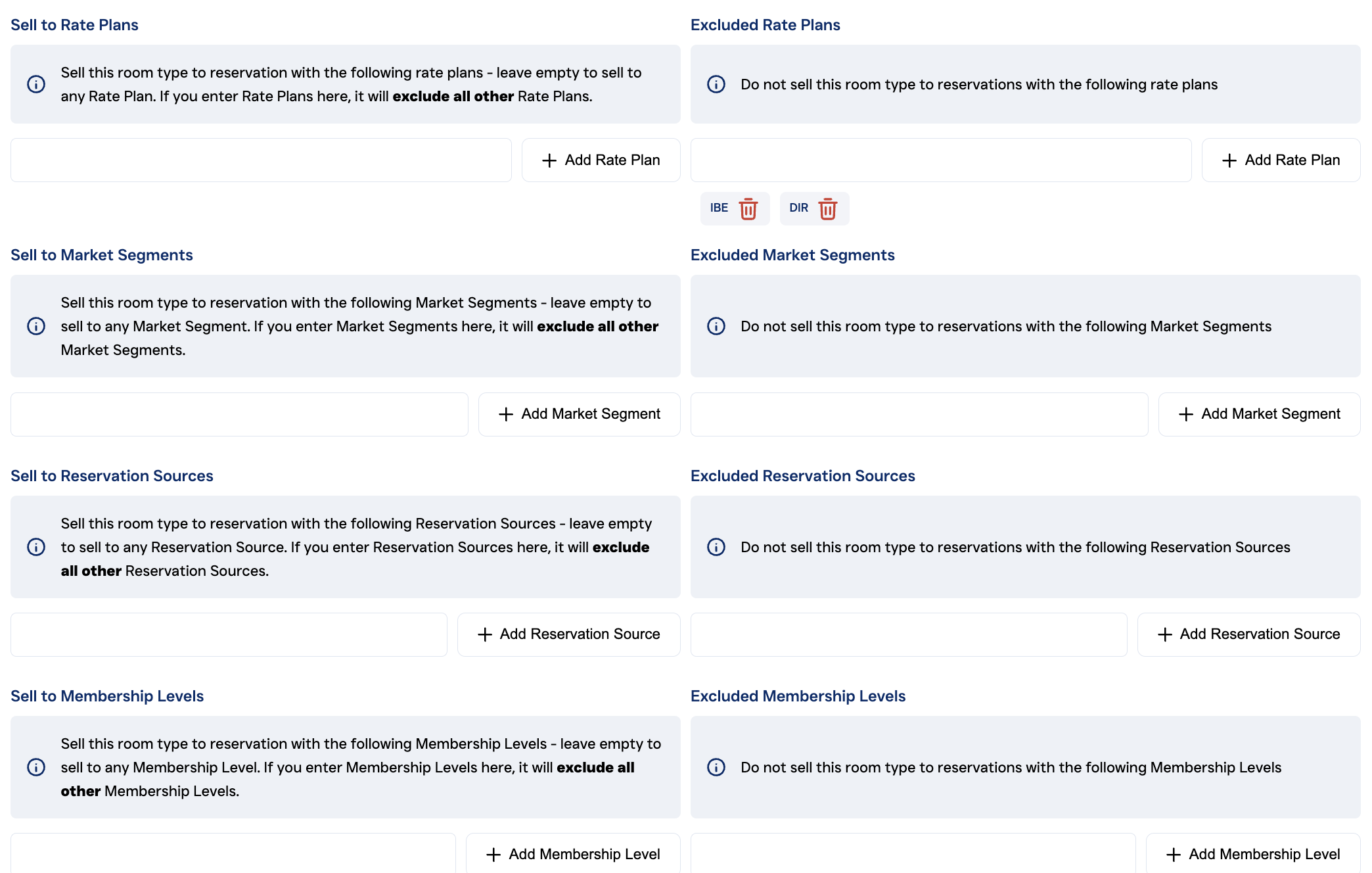
You can create different upgrade prices depending if guest booked B&B and RO rates. Also, more favorable upgrade prices could be offered to direct bookers.
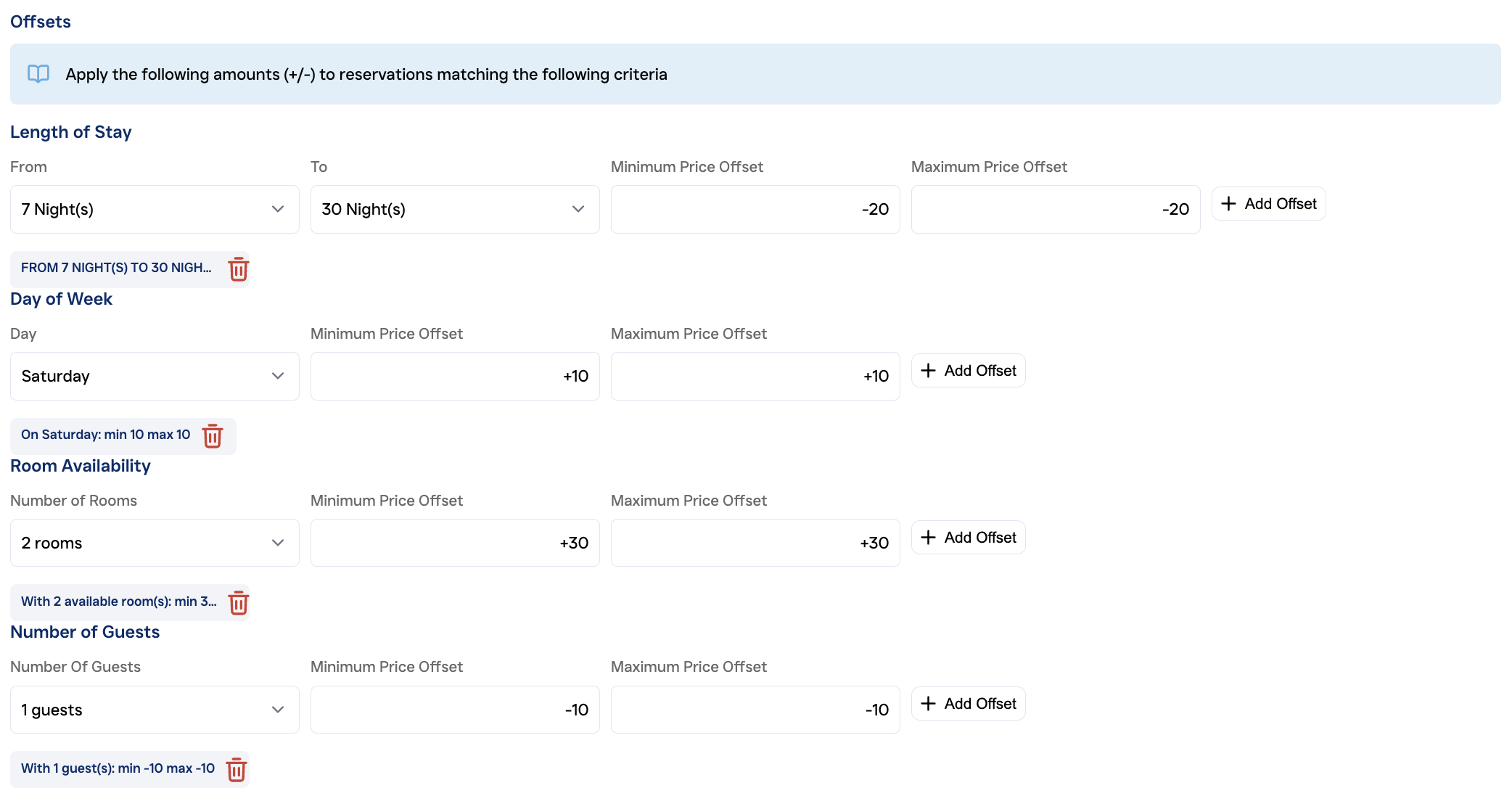
- Offsets (4): There are 4 types of offsets:
1. Length of Stay: Set an offset for different lengths of stay. For example: A discount of 20 EUR per night (from the default price) on the minimum and maximum price for a guest staying between 7 - 30 nights.
2. Day of the week: Set offsets for different days of the week. For example: Additionally 10 Euros per night on the weekends.
3. Room Availability: Offsets depending on your room type availability. This applies to the room that you are offering an upgrade to.
For example: Once you just have 2 rooms available of that room type, the upgrade price goes up by 30 Euros on the minimum and maximum.
4. Number of guests: Offer different prices depending on the number of guests in the room. For example: A discount of 10 Euros for single occupancy bookings.
Offsets on Room Availability and Number of Guests are only available for certain interfaces. If you have doubts if your PMS (or other source of interface) provides availability and number of guests to UpsellGuru, please email us at support@upsellguru.com